Account verification is easier to approach when you separate three questions: what the operator actually needs, whether your records agree, and whether you are submitting them through a trustworthy channel. A readable document will not solve a name mismatch, and a convincing email does not establish that its upload link is genuine.
This guide offers a preparation workflow, not a universal approval checklist. Follow the current instructions inside your account, and use Whinny’s account verification FAQ for related guidance. Document types, verification providers, and review arrangements must be confirmed with the operator concerned.
1. Check adult eligibility before preparing documents
Proceed only if you are an adult and meet the minimum age, location, and other eligibility requirements applicable to the service and your jurisdiction. Do not assume that being eighteen automatically qualifies you everywhere. If you are unsure, check the operator’s eligibility terms and the relevant official regulator before registering, depositing, or submitting identification. Never use another person’s identity to get around an age restriction or self-exclusion.
Keep jurisdictional examples in context. For online gambling businesses regulated by the Gambling Commission in Great Britain, its guidance requires age and identity verification before gambling and explains that checks also help identify self-excluded customers.[2] That is not a statement of the rules for every US state or every international platform.
Privacy boundary: Do not put identity documents in Whinny comments, public posts, or unsolicited email replies. Use the operator’s official secure verification portal, reached independently through its authenticated website or app. If you cannot confirm the submission route, stop and ask through a known official support channel.
2. Turn the request into a specific document checklist
Read the entire request before taking photographs. Identify the purpose of each item: identity, residential address, payment ownership, or a separate financial review. Do not treat these as interchangeable. The Gambling Commission lists passports, driving licences, and household bills as possible documents, but explicitly says it does not prescribe which information businesses should request.[2]
Make a short private note of the accepted document, required sides or pages, permitted age of the document, file format, and upload limit. If the instructions omit something important, ask before uploading. For example, ask whether an original bank PDF is acceptable rather than assuming a screenshot will work.
| Requested evidence | Check before submission | Clarify if missing |
|---|---|---|
| Government-issued identity document | Name, birth date, readability, expiry, and requested sides | Accepted ID types and treatment of expired documents |
| Residential address evidence | Your name, address, issuer, and issue date | Accepted issuers, document age, and digital formats |
| Name-change evidence | Whether it connects the names in your records | Which supporting document the reviewer accepts |
| Payment or financial evidence | Exact purpose and requested information | Permitted masking and the approved secure channel |
This table is a planning aid, not a list of documents to send automatically. Prepare only what the confirmed request calls for.
3. Prepare readable files without changing the evidence
Use the original document and inspect the result before submission. As a useful official example, Login.gov recommends a solid dark background, indirect light, and holding the device steady; it also advises avoiding glare and shadows so personal information remains readable.[3] These photography principles are useful preparation tips, but Login.gov’s camera and device requirements are specific to that service.
Run a visual quality check
- Keep every required edge and the requested document information visible.
- Check that fingers, reflections, and shadows do not obscure text.
- Inspect both sides when the operator requests them.
- Follow the specified file type and size rather than repeatedly compressing the image.
- Use a neutral filename without a full document number or birth date.
Do not retouch the portrait, replace text, merge details from different documents, or use AI tools to reconstruct unclear information. Retake the photograph instead. If a secure portal requires live capture, follow that flow rather than substituting a saved scan. For accessibility or camera difficulties, ask whether the operator offers an alternative; do not assume every provider supports the same accommodation.
Redaction requires its own check. Ask which fields may be masked and how. Do not automatically expose every transaction on a statement, but do not hide information the reviewer needs without agreement. Avoid uploading documents to an unrelated online editor merely to resize or redact them.
4. Resolve identity mismatches before another upload
When a request mentions inconsistent details, compare the account profile with the document field by field. Start with the legal name, birth date, and address. Look for a nickname, reversed name order, missing apartment number, or a recently changed surname. Treat these as possibilities to investigate, not proof of what caused the rejection.
| What you notice | Practical next step | Avoid |
|---|---|---|
| Nickname or typing error | Ask for the official profile-correction process | Changing the document image to match |
| Legal name changed | Ask which evidence connects your previous and current names | Assuming a marriage certificate is always sufficient |
| Old residential address | Explain the move and ask how to update the account | Claiming an old address is your current residence |
| Different writing system or name order | Ask about accepted transliteration or translation | Trying multiple invented spellings |
| Payment belongs to someone else | Disclose the issue to official support and request guidance | Submitting someone else’s ID as your own |
A concise explanation is more useful than a bundle of unrelated files: “My account uses my previous surname. My current ID uses my new legal surname. Please confirm the correction procedure and accepted supporting evidence.” Leave full document numbers out of the initial support message. Ask for the secure portal location before supplying sensitive attachments.
5. Submit through a verified channel: a numbered workflow
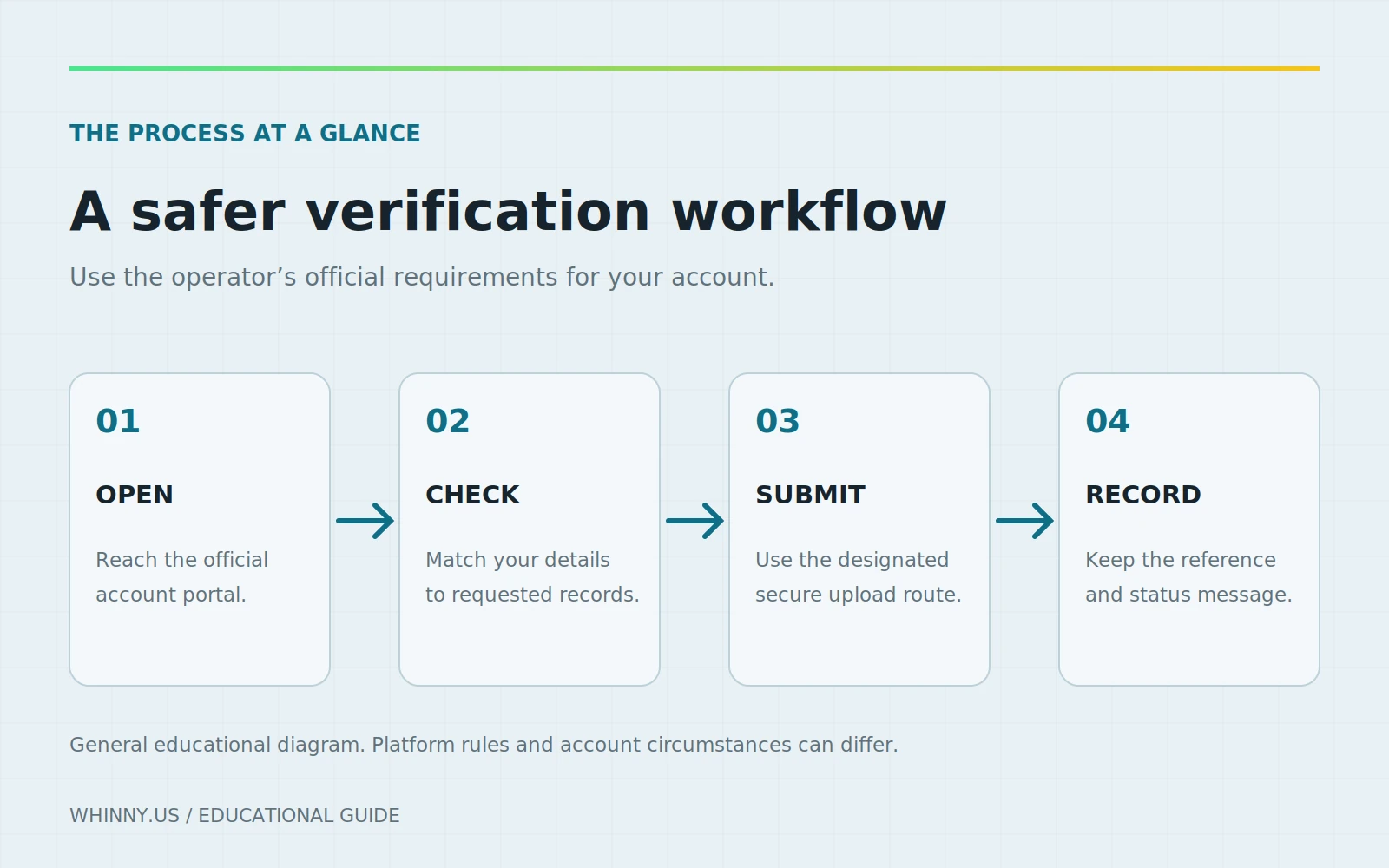
Separate authenticating the request from completing it. The FTC advises contacting a company through a phone number or website you know is real, rather than using the contact information in a suspicious message.[1] Apply that check even when an email appears to arrive just after a legitimate account action.
- Open the service independently. Use your established bookmark or official app instead of an unexpected message link.
- Locate the verification task. Check the account’s status page and compare the requested documents with the message.
- Confirm any external provider. If the account hands you to another domain, verify that provider through the operator’s official instructions or authenticated support.
- Review the privacy information. Identify who receives the files and where to ask about storage, retention, and deletion.
- Upload only the requested material. Check each selected file before submitting, especially on a device holding other people’s documents.
- Keep a minimal receipt. Record the submission date, document category, case reference, and displayed status without duplicating sensitive images.
Use a device you control, and sign out when finished. The FTC recommends software updates and multi-factor authentication as protective measures; MFA makes account access harder for scammers who obtain a password.[1] Enable it where available rather than treating verification itself as account security.
6. Recognize verification-themed phishing
Verification requests are plausible enough to make a fraudulent message feel routine. The FTC describes phishing messages that claim suspicious activity, account or payment problems, or a need to confirm personal information.[1] A familiar logo is therefore not enough: the FTC’s example shows a fraudulent message using a recognizable company logo.[1]
Pause when a message threatens immediate loss of funds, pushes you toward a new upload site, or asks you to continue with a stranger on a messaging app. These are reasons to verify independently, not a reason to send more evidence quickly. Do not share passwords, recovery codes, or one-time login codes with someone claiming to perform a manual identity check.
If you already supplied information
Stop using the suspicious conversation and contact the genuine service independently. Explain what categories of information you disclosed without attaching the documents again. If financial or identity information may have reached a scammer, the FTC directs consumers to IdentityTheft.gov for recovery steps tailored to the information lost.[1] That is a US resource; elsewhere, consult the relevant official identity-theft or consumer-protection service.
If a suspicious link or attachment may have downloaded harmful software, the FTC recommends updating security software and running a scan.[1] Record the fraudulent address and message details for a report, but do not revisit the site to investigate it yourself.
7. Handle pending reviews and payment questions separately
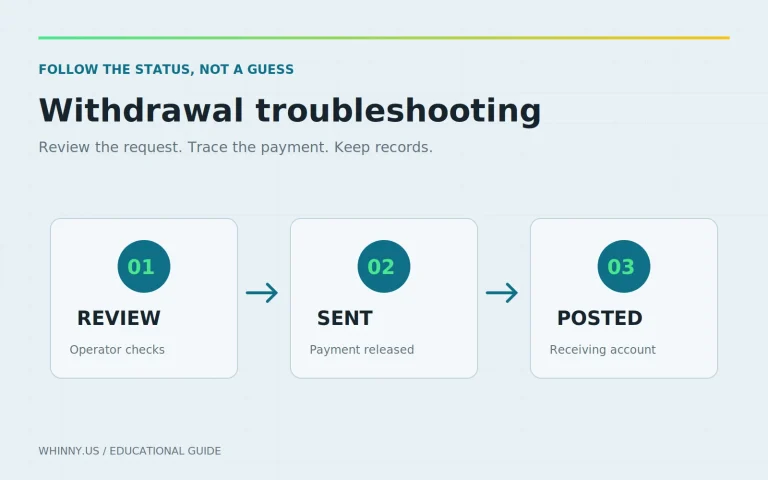
“Uploaded” is not the same as “approved.” Read the precise status and check whether there is an outstanding action. If the operator provides an estimate, keep it as that operator’s estimate, not a promise. The Gambling Commission explicitly says it cannot give a timescale because verification processes vary.[2]
Follow up with the case reference and ask a focused question: is the file unreadable, is information inconsistent, or is the review still pending? Avoid submitting the same bundle repeatedly without instructions. If the explanation remains unclear, request the formal complaint procedure and preserve the correspondence.
Keep withdrawal status separate from identity status. In Great Britain, the Gambling Commission says businesses should not defer age and identity requests until withdrawal if they could have requested the information earlier, while recognizing that legal obligations can require information at that stage.[2] This does not guarantee immediate payment or establish rules elsewhere. Use Whinny’s payment problems FAQ to organize the payment side of the issue.
8. Quick verification FAQ
Can I send a different document after rejection?
First establish why the original failed. A new document may not resolve an account-name error. Confirm the accepted alternative and use the existing case reference where possible.
Should I send a selfie without being asked?
No. Follow the confirmed request rather than volunteering additional sensitive material. If a selfie is requested, verify the capture process inside the official account before proceeding.
Can support guarantee approval if my pictures are clear?
Clear pictures address readability, not every eligibility or identity question. Ask what remains outstanding rather than accepting an unsupported guarantee of approval or a fixed completion time.
The best preparation is specific: confirm eligibility, read the actual request, reconcile your details, and submit through the official secure portal. When something does not match, seek a clear explanation before sharing more.